
Tech & Office
Explore electronics, power accessories, networking equipment and office supplies for home and work.
Browse categories
-
 Computers & Accessories39 products
-
 Phone & Charging Accessories37 products
-
 Audio & Video129 products
-
Security & Smart Home21 products
-
 Power, Cables & Adapters39 products
-
 Networking & Satellite Accessories16 products
-
 Desk Accessories & Organisation70 products
-
 Cash Handling & Office Security27 products
-
 Office Desks & Furniture20 products
-
For Starlink12 products


-
Adjustable Starlink Gen 3, Standard 4 and 4X Mount
Regular price $59.99 AUDRegular price -
Lockable Metal Cash Box with 4 Note and 5 Coin Compartments
Regular price $29.99 AUDRegular price -
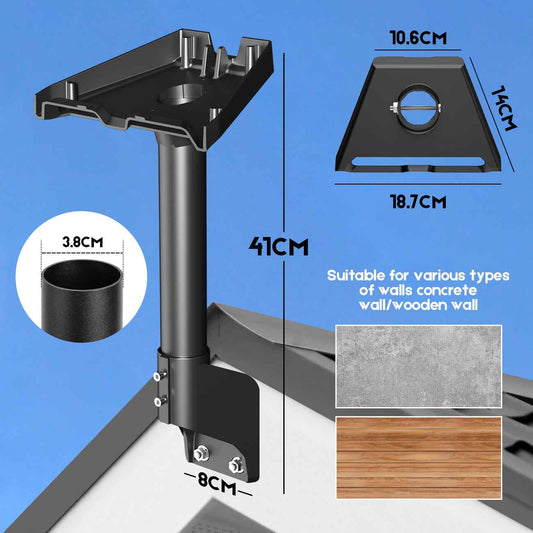
Roof and Wall Mount for Starlink Gen 3 Standard
Regular price $36.35 AUDRegular price -
High-definition intelligent WiFi camera, portable night vision monitoring security camera, 250mAh rechargeable polymer battery, USB/battery dual power supply
Regular price $15.99 AUDRegular price$15.63 AUDSale price $15.99 AUD -
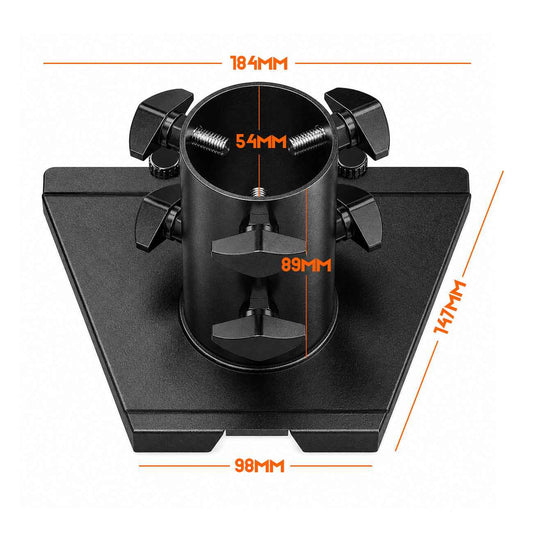
Iron Pipe Adapter for Starlink Gen 3 Mounts, Adapter Only
Regular price $41.81 AUDRegular price -
Money Counter, Mixed Denomination Multi-Currency Bill Counter with CIS/UV/MG/IR Counterfeit Detection, Dual-Screen Display
Regular price $336.35 AUDRegular price$459.99 AUDSale price $336.35 AUDSale -
Metal Cash Box with Key Lock, 30 × 24 × 9cm
Regular price $27.26 AUDRegular price -
Automatic AUD Banknote Counter with UV Detection & LCD Display
Regular price $90.90 AUDRegular price$149.00 AUDSale price $90.90 AUDSale -


High-Speed Multi-Currency Money Counter with 200-Note Hopper & Digital Display – AUD, USD, EUR & GBP
Regular price $90.90 AUDRegular price -
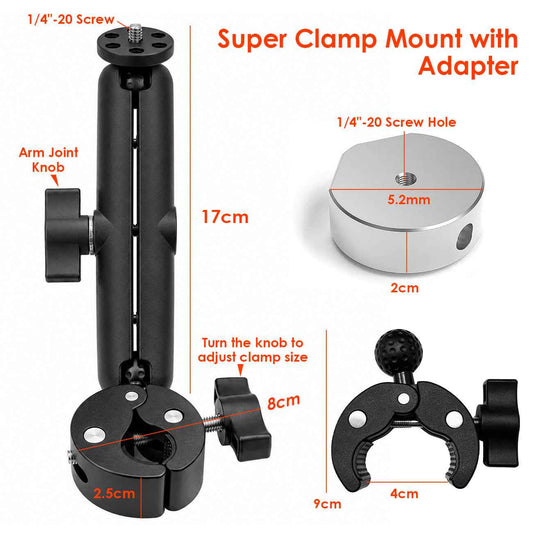
Adjustable Pole Clamp Mount for Starlink Mini, 17–40mm
Regular price $42.72 AUDRegular price -
Adjustable Long Arm Roof and Wall Mount for Starlink Gen 3
Regular price $54.54 AUDRegular price -
AUD Banknote Counter with Value Counting & ADD Function, 200-Note Hopper, UV/IR/MG/DD Counterfeit Detection & LCD Display
Regular price $122.72 AUDRegular price -
Portable CD/Cassette Player with AM/FM Radio Speaker
Regular price $107.99 AUDRegular price$89.95 AUDSale price $107.99 AUD -
BM88 Low-Profile Desk Microphone Boom Arm
Regular price $90.00 AUDRegular price -
365nm UV Banknote Detector for Retail Counters
Regular price $48.17 AUDRegular price -
Silicone Cover for Starlink Gen 3 Standard, Black
Regular price $45.45 AUDRegular price -
Pink Cash Box with Key Lock and 2 Keys, 30 × 24 × 9cm
Regular price $27.26 AUDRegular price$39.99 AUDSale price $27.26 AUDSale -
Artiss Standing Desk Riser Height Adjustable Rustic Brown 80CM
Regular price $132.99 AUDRegular price$226.99 AUDSale price $132.99 AUDSale -
Magnetic Whiteboard 60x90cm Erase Board Marker Eraser Tray Home Office School
Regular price $43.99 AUDRegular price$82.99 AUDSale price $43.99 AUDSale -
Magnetic Whiteboard 90x120cm Erase Board Marker Eraser Tray Home Office School
Regular price $109.99 AUDRegular price$166.99 AUDSale price $109.99 AUDSale -
Artiss Computer Desk Office Study Desks Table Bookshelf Drawer
Regular price $195.99 AUDRegular price$349.99 AUDSale price $195.99 AUDSale -
Alpha 39 Inch Classical Guitar Wooden Body Nylon String Beginner Gift Natural
Regular price $87.99 AUDRegular price$116.99 AUDSale price $87.99 AUDSale -
Alpha Portable Karaoke Machine with 2 Wireless Microphones Bluetooth 5.3
Regular price $105.99 AUDRegular price$216.99 AUDSale price $105.99 AUDSale -
Artiss Criss Cross Office Chair Wide Seat Desk Chair Bouclé Fabric Vanity Chair Comfy, Beige
Regular price $133.99 AUDRegular price$209.99 AUDSale price $133.99 AUDSale -
SOLAKAKA A75 75% Gasket Mechanical Keyboard Tri-Mode Hot-Swap Knob
Regular price $100.99 AUDRegular price$124.95 AUDSale price $100.99 AUDSale -
SOLAKAKA SM802 Pro Tri-Mode Gaming Mouse RGB 24000 DPI Hotswap
Regular price $54.99 AUDRegular price$64.95 AUDSale price $54.99 AUDSale -
SOLAKAKA E9 Tri-Mode Vertical MMO Gaming Mouse, 36,000 DPI
Regular price $93.99 AUDRegular price$115.95 AUDSale price $93.99 AUDSold out -
SOLAKAKA E9 Pro Vertical MMO Mouse Tri-Mode 36000 DPI 8000Hz PAW3395
Regular price $168.99 AUDRegular price$209.95 AUDSale price $168.99 AUDSale -
SOLAKAKA E9 Pro Vertical MMO Mouse Tri-Mode 36000 DPI 8000Hz PAW3395
Regular price $168.99 AUDRegular price$209.95 AUDSale price $168.99 AUDSale -
Artiss TV Wall Mount Bracket for 32"-70" LED LCD TVs Tilt Slim Flat Low Profile
Regular price $29.99 AUDRegular price$54.99 AUDSale price $29.99 AUDSale -
Female Mannequin 170cm Model Dressmaker Clothes Display Torso Tailor Wedding White
Regular price $71.99 AUDRegular price$91.99 AUDSale price $71.99 AUDSale -
SOLAKAKA SM802 Pro Tri-Mode Gaming Mouse RGB 24000 DPI Hotswap
Regular price $54.99 AUDRegular price$64.95 AUDSale price $54.99 AUDSale -
SOLAKAKA Wireless MMO Gaming Mouse 16 Buttons Bluetooth 24000 DPI RGB
Regular price $89.99 AUDRegular price$111.95 AUDSale price $89.99 AUDSale -
SOLAKAKA A75 75% Gasket Mechanical Keyboard Tri-Mode Hot-Swap Knob
Regular price $100.99 AUDRegular price$124.95 AUDSale price $100.99 AUDSale -
CARLA HOME Whiteboard Easel Portable Magnetic Dry Erase Board with Adjustable Tripod Stand & Height Adjustable for Office & Home (90x60cm)
Regular price $146.99 AUDRegular price$184.95 AUDSale price $146.99 AUDSale -
CARLA HOME Double-Sided Magnetic Whiteboard 120x90cm with Wheels, Reversible Design for School, Office & Home
Regular price $237.99 AUDRegular price$272.00 AUDSale price $237.99 AUDSale








Buying guide
Finding the right tech and office equipment for your home or workplace
Tech purchases go wrong when a connector, a power rating or a mounting point turns out to be different from what was assumed. The same applies to office furniture, where desk depth and screen height matter more than a photograph suggests. This guide sets out what to confirm before ordering, so devices work together and the workspace stays comfortable over a full day.
Device compatibility
Confirm operating system, port type and app requirements before you buy, and treat broad compatibility claims with care until you check the details.
Connections and cables
Count the ports you need and note which standards they use. Cable length, plug orientation and adapter quality all affect whether a setup stays tidy.
Power and heat
Check the wattage and voltage a device expects, and choose a charger rated for it. Leave room for ventilation, especially in a closed cupboard.
Desk and wall space
Measure the surface, wall or shelf before committing, and check screen height, viewing distance and whether doors or drawers need clearance to open.
What you’ll find in tech and office
The category covers computers and accessories, phone and charging accessories, audio and video, and security and smart home devices, alongside the power, cables and adapters that connect them. Networking and satellite accessories, including a dedicated range for Starlink, support the connection itself, while desk accessories, cash handling equipment and office furniture finish the space.
- Computers & Accessories Build a desk or gaming setup that feels just right with keyboards, mice and computer accessories that suit the way you work and play.
- Phone & Charging Accessories Stands, holders and chargers keep your phone charged and close at hand. Wherever the day takes you, it stays ready.
- Audio & Video Bring the lounge or presentation space together with speaker stands, projector supports and TV brackets that put sound and picture in place.
- Security & Smart Home Watch over the places that matter with security cameras and smart-home accessories that fit into your daily routine.
- Power, Cables & Adapters Power up and tidy the tangle with cables, adapters, portable power and cable-management accessories for your devices.
- Networking & Satellite Accessories Networking and satellite setups stay neat with mounting accessories made for compatible Starlink equipment.
- Desk Accessories & Organisation Calmer desk days start with workspace accessories, storage supplies and office consumables that keep everything running smoothly.
- Cash Handling & Office Security Look after takings and valuables with cash boxes, money counters and office security equipment that keep everything in order.
- Office Desks & Furniture Working from home feels considered with a desk and office chair that support the way you work through the day.
- For Starlink Mounts, adapters, covers, carrying cases and power accessories help compatible Starlink gear settle into place.
Materials, finishes and construction
Materials decide how office equipment wears and how a device handles heat. Aluminium and steel give furniture and brackets their structure, plastics shape most device casings, and glass or laminate finishes set the tone of a desk surface.
- Aluminium and steel. Metal frames and arms carry the load in monitor mounts, shelving and desk bases. Check the gauge and stated weight limit rather than judging by appearance.
- ABS and polycarbonate. Most hubs, chargers and desk accessories use rigid plastics. Polycarbonate tends to handle knocks better than thin ABS, so check wall thickness on parts that carry weight.
- Laminate and engineered board. Laminate over engineered board is common for desk tops and easy to wipe. Check edge sealing and how the top fixes to the frame before daily use.
- Glass and mesh. Tempered glass suits light, open desks, while mesh keeps airflow around equipment. Confirm glass thickness and check shelf load ratings for what you plan to store.
Features worth checking
Specifications tell only part of the story, and a few small details separate equipment that works well from equipment that frustrates. These practical points are worth confirming before you order.
- Ports and standards. List ports your devices use and confirm the item covers them. Check whether video, data and charging all pass through or only some do.
- Mounting and cable routing. For wall or under-desk mounting, check the hardware supplied, the surface it suits and where cables will run so nothing hangs under tension.
- Privacy and account security. Cameras and smart devices should offer a clear way to manage accounts and updates. Check privacy settings, storage options and how the device resets.
- Build and adjustment. Chairs, arms and stands should adjust without wobbling. Check height range, tilt and swivel, and whether the base suits your floor.
- Storage and footprint. Office furniture takes space beyond its listed size once doors, drawers and chairs move. Check depth, clearance and the route into the room.
- Documentation and support. Look for clear instructions and a manual you can keep. Confirm what is included before you plan installation.
Care, storage and everyday use
Dust vents and screens with a dry microfibre cloth, and avoid solvents on plastics and coatings. Keep chargers and receivers ventilated rather than boxed in, manage cable bends at the plug, and update device software when prompted. Back up important files, check mounting fixings occasionally, and keep the original boxes for items you may need to move.